Using Campaign Performance Forecasting
Last updated: September 3, 2026
Campaign Performance Forecasting gives you an estimate of impressions, clicks, and conversions while setting up a Sponsored Product Ad campaign.
Forecasts use recent performance from the products selected in your ad group to help you understand what results you may expect.
Where to Find Your Forecast
You can view the forecast while creating or editing an Ad Group for a Sponsored Product Ad campaign.
As you complete the Ad Group setup and select products, the forecast will populate based on your campaign settings.
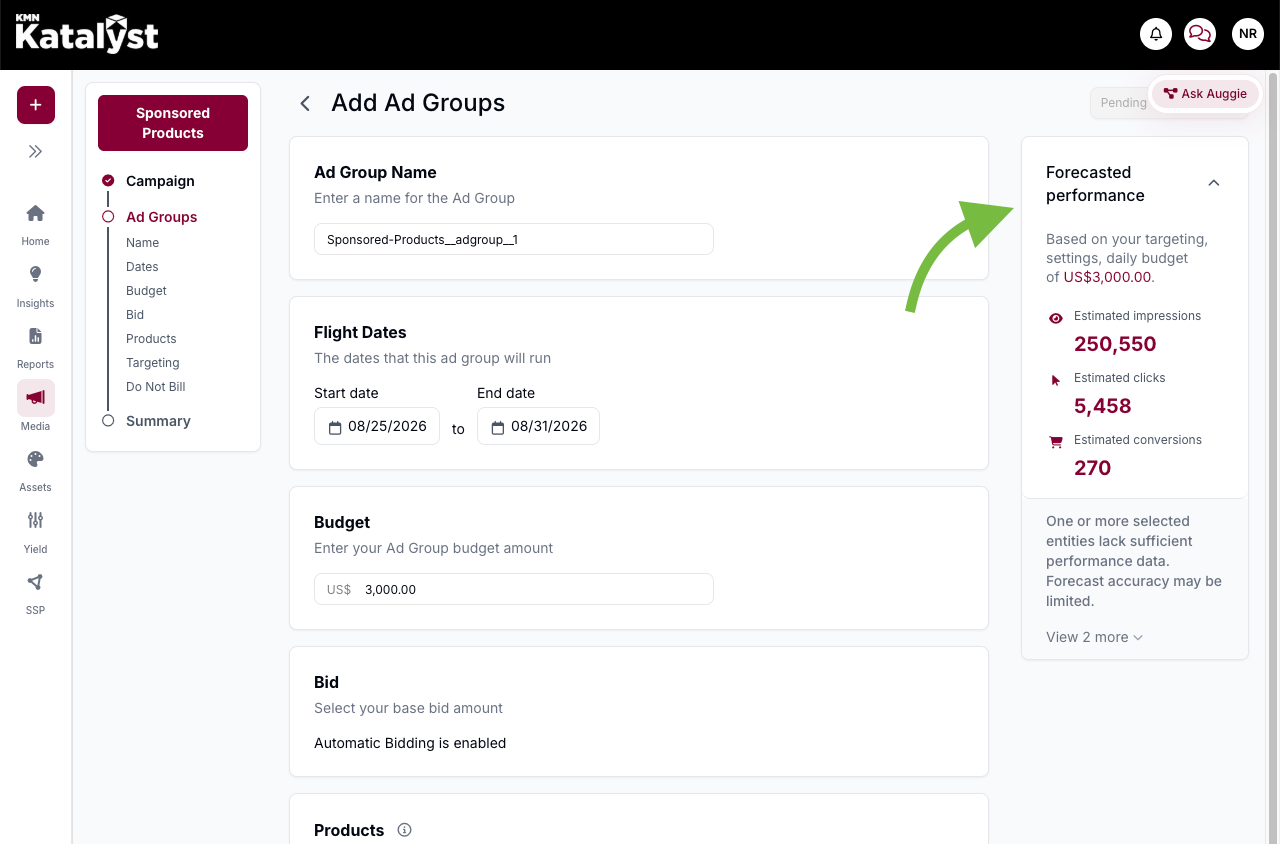
What Affects the Forecast?
Your forecast may change based on:
Campaign flight dates
Budget
Selected products
Bidding settings
For Automatic Bidding, your ROAS goal is considered. If there is not enough historical performance data for the selected products at a similar ROAS goal, a forecast may not be available.
For Manual Bidding, your base bid is considered. After changing the base bid, save the Ad Group and return to the page to view the updated forecast.
Forecast Alerts
If there is not enough recent performance data to generate a forecast, you may see an alert or guidance message below the forecast.
This may mean that additional historical data is needed before an estimate can be provided.
Keep in Mind
Forecasts use the last 30 days of performance and are refreshed daily.
Forecasts are estimates and do not guarantee results.
Forecasting is currently available for Sponsored Product Ads only.
The forecast does not recommend an ideal or maximum budget.